
Help Scout integration
This guide will walk you through the process of connecting your Help Scout account to Ferndesk. This integration allows you to auto-update your help center using resolved tickets from Help Scout.
Before you begin: You'll need an active Help Scout account with the "Docs: Create new, edit settings & Collections" permission to access your Docs API Key.
Step 1: Navigate to Integrations
Go to the Integrations page in your Ferndesk dashboard. Find Help Scout in the list of integrations under the "Support" tab.
Step 2: Get Your Help Scout Docs API Key
Before connecting, you'll need to retrieve your Docs API Key from Help Scout:
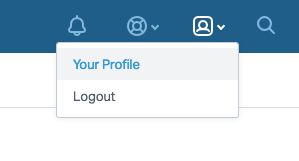
In your Help Scout account, click the "person" icon on the top right, then click Your Profile.
Click the Authentication link in the menu on the left and select the API Keys tab.
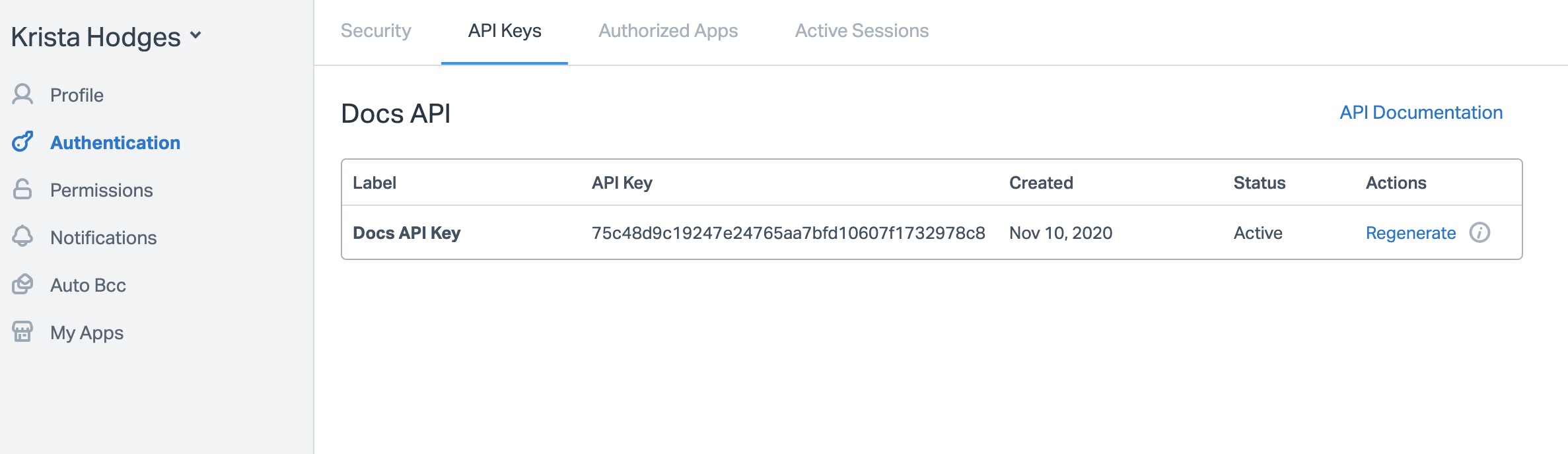
Copy your Docs API Key. You'll need this in the next step.
If you don't see an API key in your profile, you haven't been granted the "Docs: Create new, edit settings & Collections" permission by the Account Owner or an Administrator.
Step 3: Connect Help Scout to Ferndesk
Back in Ferndesk, click the Connect button on the Help Scout integration card. A dialog will appear asking for your Docs API Key.
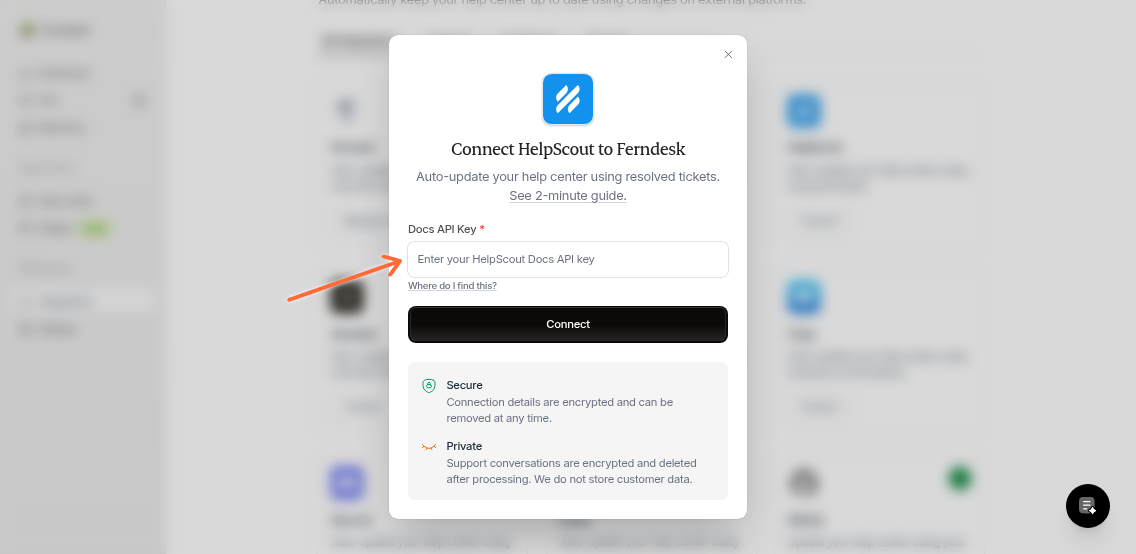
Paste your Docs API Key into the field and click the Connect button.
Step 4: Authorize Ferndesk
You'll be redirected to Help Scout to authorize the connection. Log in to your Help Scout account if prompted, then follow the on-screen instructions to grant Ferndesk permission to access your Help Scout account.
Once you've authorized the connection, you'll be redirected back to Ferndesk.
Once connected, Ferndesk will automatically sync resolved tickets from Help Scout to keep your help center up to date.
Additional Resources
For more information on Help Scout's features, visit their Help Center.